
Free template
RUBS utility billing calculator
Split water, sewer, trash and gas back to residents fairly, by occupants, square feet, bedrooms or a mix, with move-ins prorated by day, and see what recovery adds to NOI and value.
- Excel, Sheets, Numbers
- Sample property included
- 8 tabs
Get the template
Inside the workbook
What you get, tab by tab
Tab 1
Summary
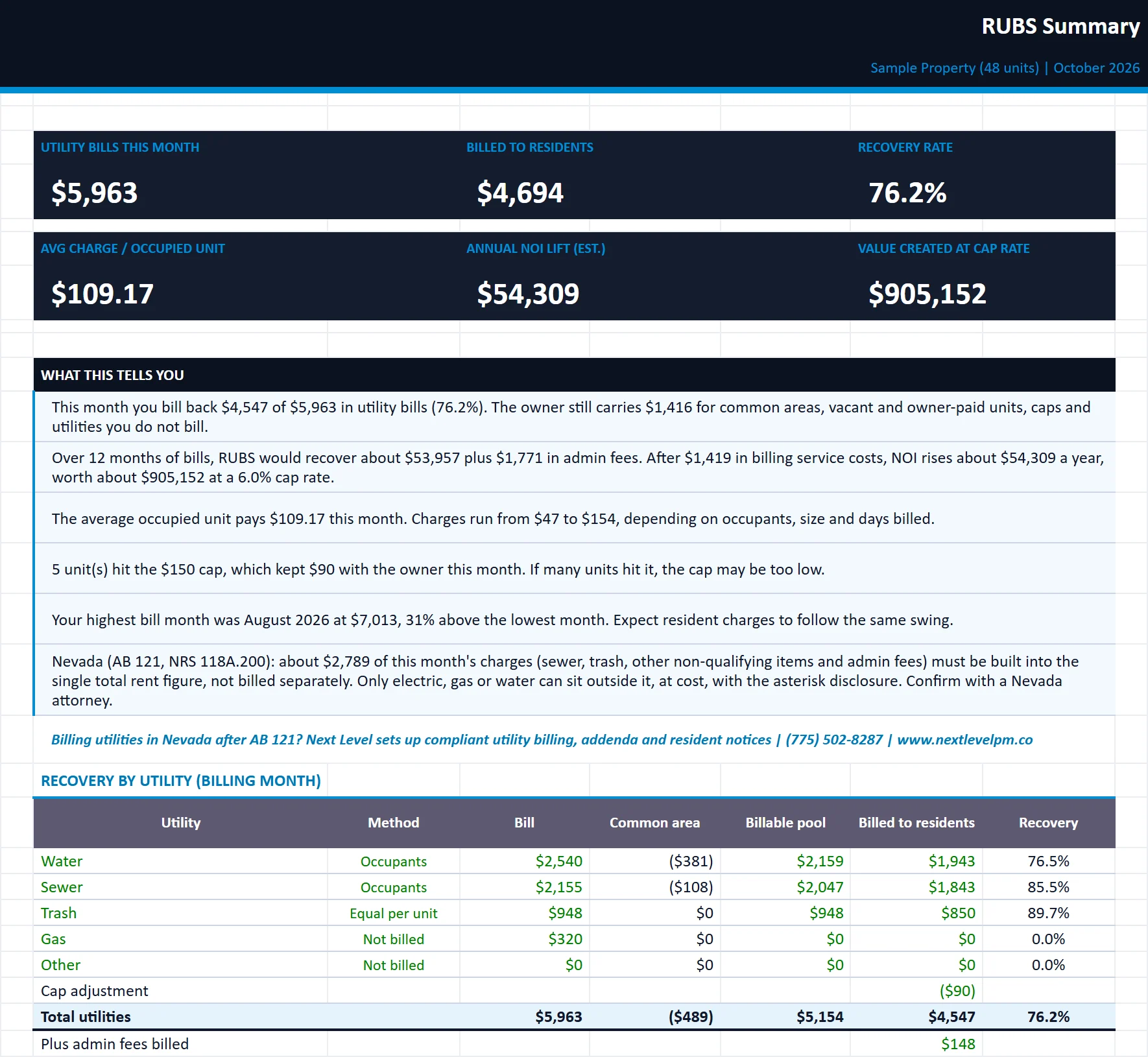
Recovery by utility, average charges, 12-month projection, NOI lift, value created and plain-English insights.
Tab 2
Allocation
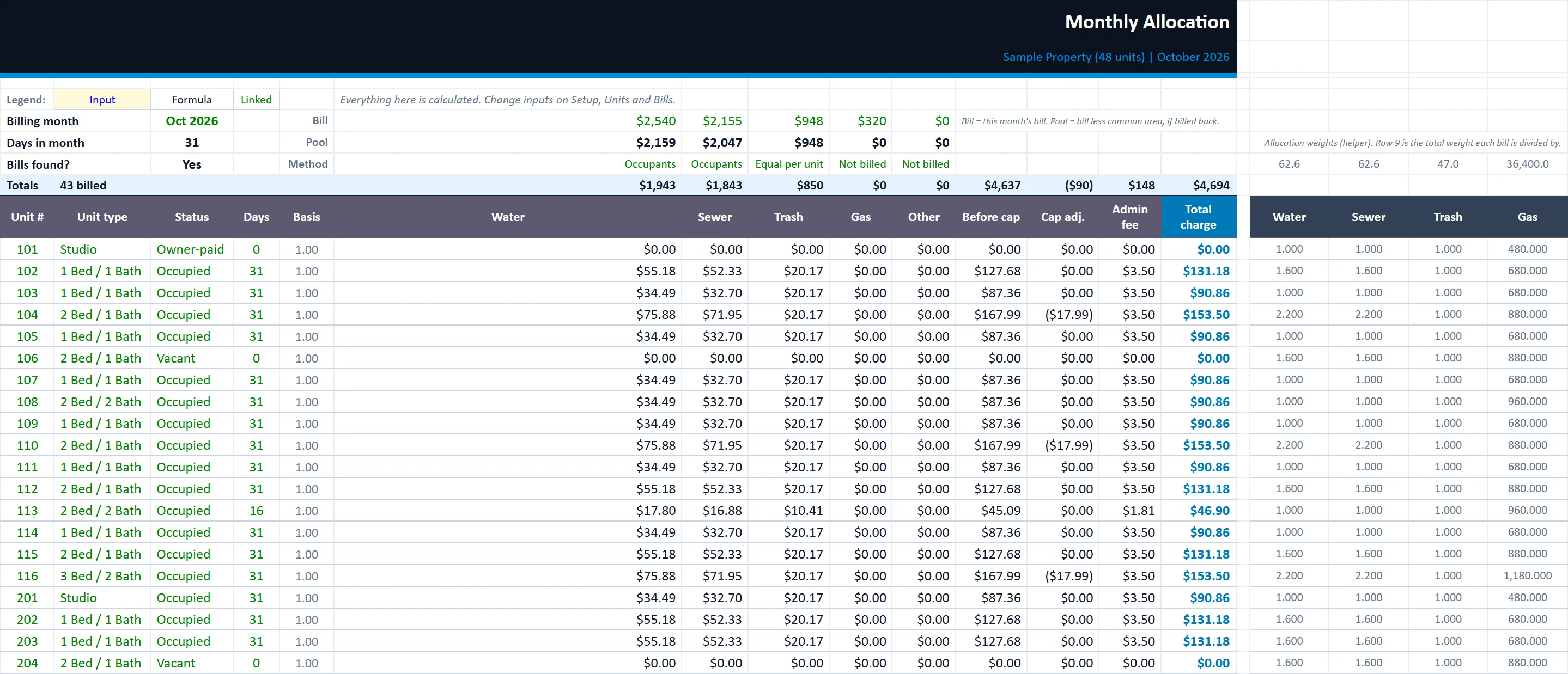
The unit-by-unit math for the billing month: each utility, the cap, the admin fee and the total charge.
Tab 3
Resident Statement
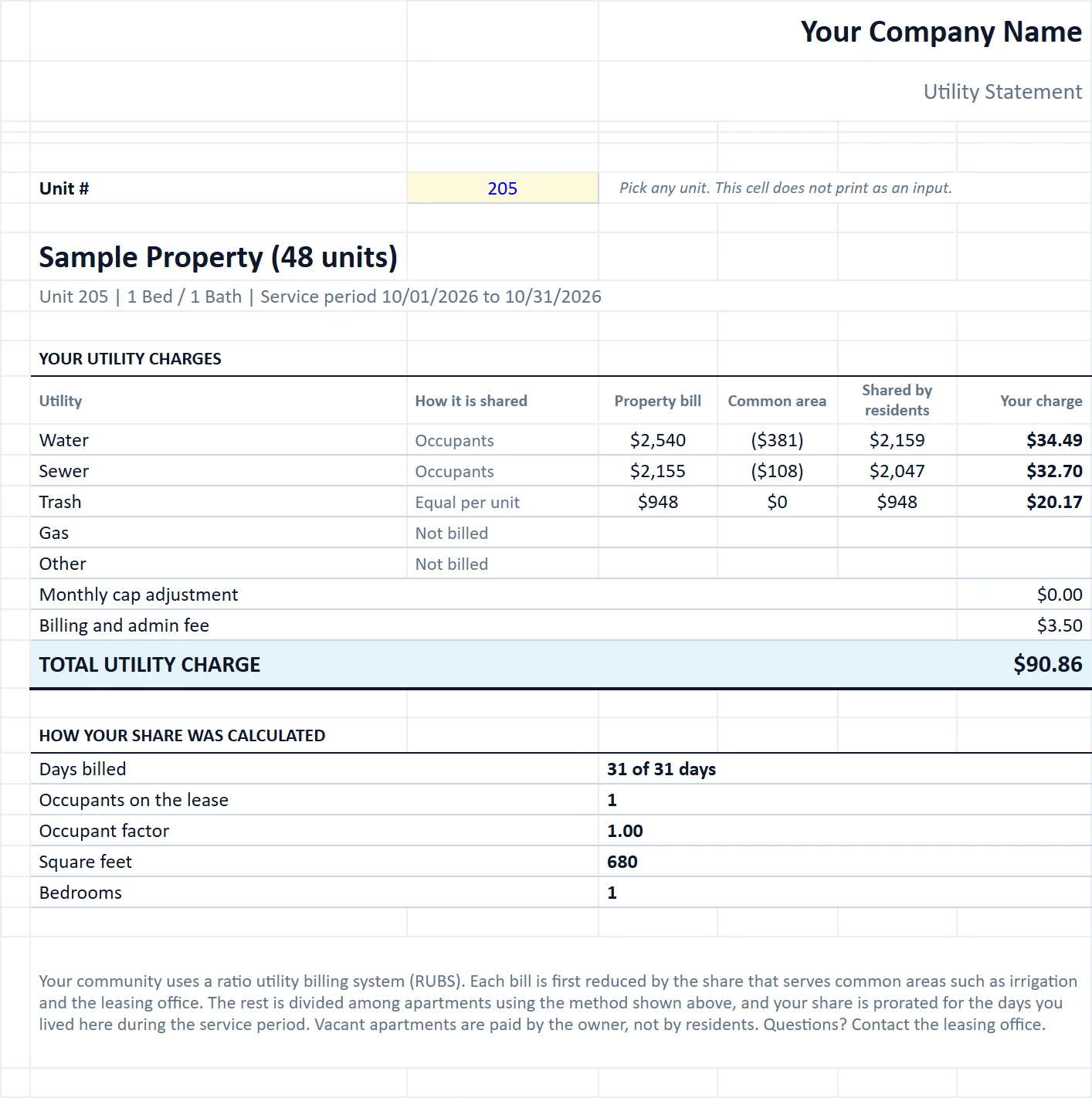
Pick a unit and get a printable statement that shows the resident how their charge was calculated.
Owner Summary
A clean one-page report with your logo and company name, ready to send to owners.
Units
Your unit list: square feet, bedrooms, status, occupants and any move-in or move-out during the month.
Bills
12 months of utility bills by type. Feeds the Allocation and the annual projection.
Setup
Which utilities to bill, how each is split, common-area deductions, fees, caps and occupant factors.
Built for
Who it is for
- Owners starting utility bill-back
- Managers reviewing an existing RUBS setup
- Investors pricing utility recovery into a deal
How to use it
Up and running in six steps
- 1Enter the property name and the billing month on the Start Here tab. The billing month must match a month on the Bills tab.
- 2On Setup, choose which utilities to bill back, the allocation method for each and the common-area deduction. Set the admin fee, monthly cap and occupant factors.
- 3On Units, enter one row per unit with square feet, bedrooms, status and the number of occupants on the lease. Add move-in or move-out dates only for units that changed during the billing month.
- 4On Bills, enter 12 months of utility bills. The newest month should be your billing month.
- 5Review the Allocation tab for each unit's charge, then pick a unit on Resident Statement to print or PDF a statement.
- 6Review the Summary for recovery and annual NOI lift. Enter your company name on the Start Here tab and drop your logo onto the Owner Summary and Resident Statement tabs (right-click the placeholder, Change Picture).
Rather have us run the numbers?
Send us your rent roll and T12 and we will build this for your property and show you what it says.
Questions
RUBS Utility Billing Calculator questions
What is RUBS?
How does Nevada's AB 121 affect utility billing?
Are move-ins and move-outs handled?
More free templates