Skip to content
Next Level Property Management
> nlpm://searchLoading index…
  • Quick actions

    Talk to us/contact
  • Reno market data/market-data
  • Find an apartment/rentals
  • Resident portal/go/resident-portal
  • Client portal/go/client-portal
  • Call (775) 502-8287

Free template

Multifamily capex and value-add template

Plan every capital project on one page: cost with contingency, the rent premium or savings it adds, return on cost and the value it creates at your market cap rate.

  • Excel, Sheets, Numbers
  • Sample property included
  • 8 tabs

Get the template

Inside the workbook

What you get, tab by tab

Tab 1

Summary

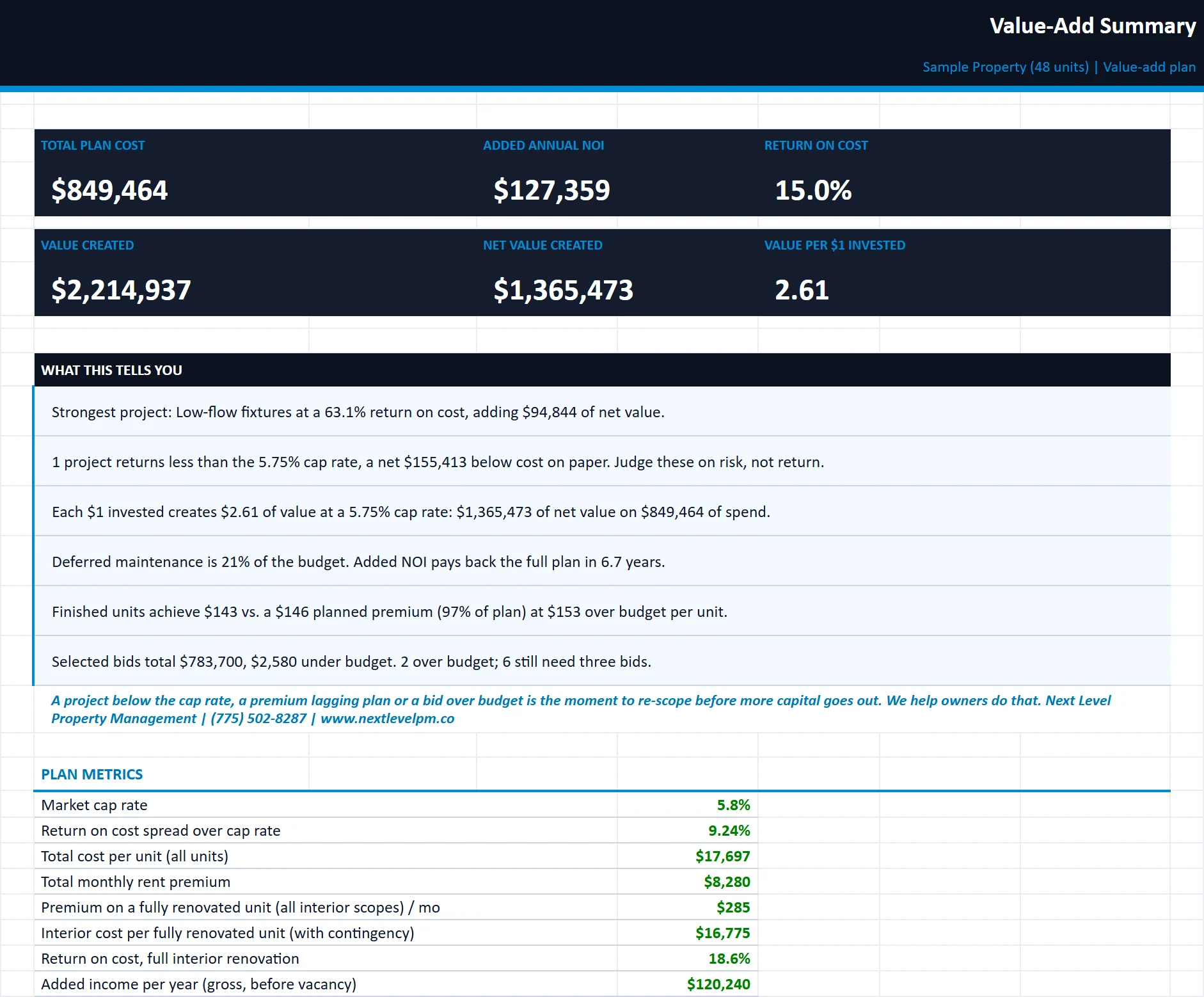
Plan totals, plain-English insights, results by category, projects ranked by return and a cap rate versus realization sensitivity grid.

capex-value-add-plan.xlsx
The Summary tab of the capex-value-add-plan workbook, filled in with the sample property
SummaryProjectsScheduleAssumptionsBid ComparisonRenovation TrackerOwner Summary

Tab 2

Projects

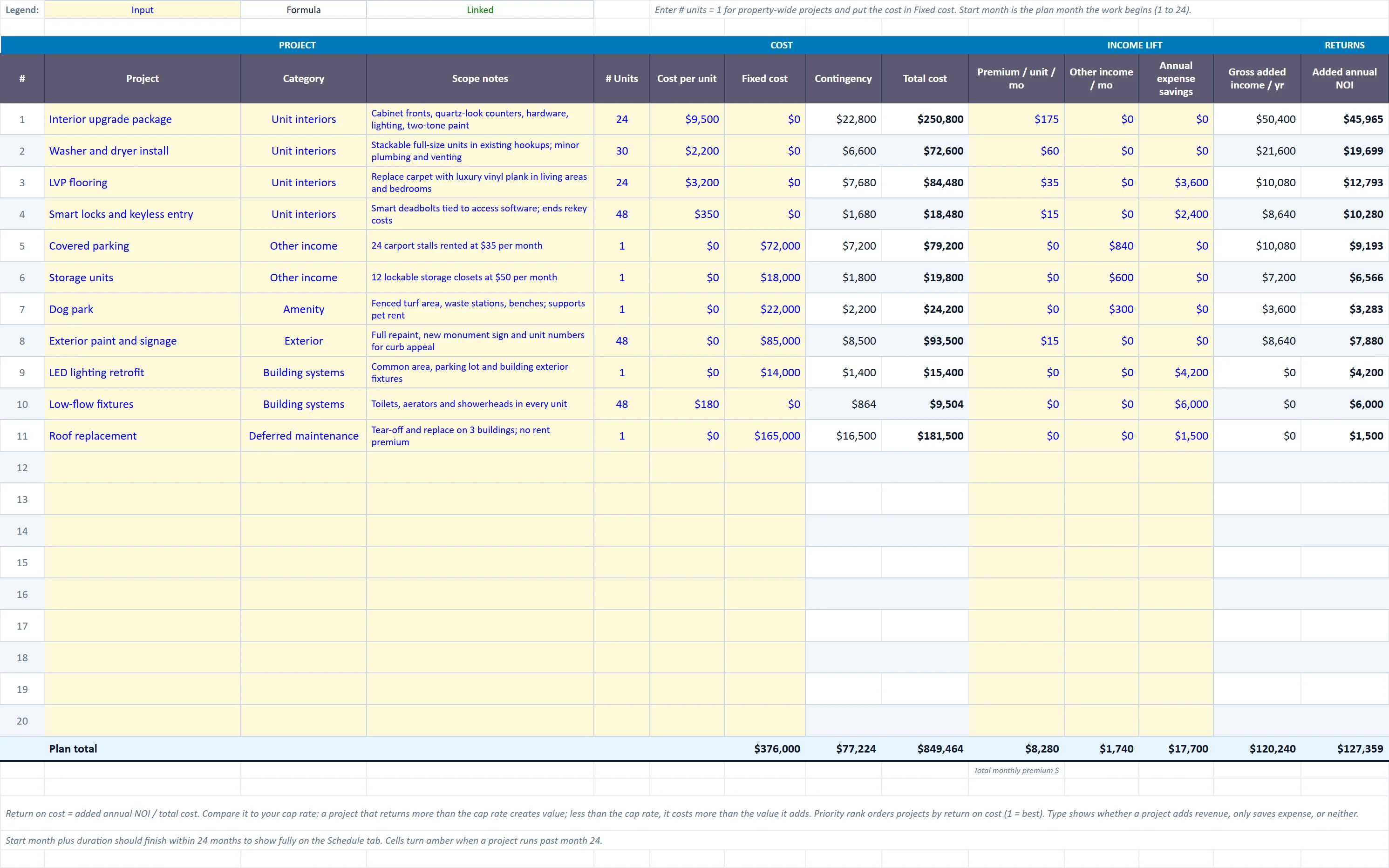
Up to 20 projects with cost, income lift, expense savings, added NOI, return on cost, value created, payback and priority.

capex-value-add-plan.xlsx
The Projects tab of the capex-value-add-plan workbook, filled in with the sample property
SummaryProjectsScheduleAssumptionsBid ComparisonRenovation TrackerOwner Summary

Tab 3

Schedule

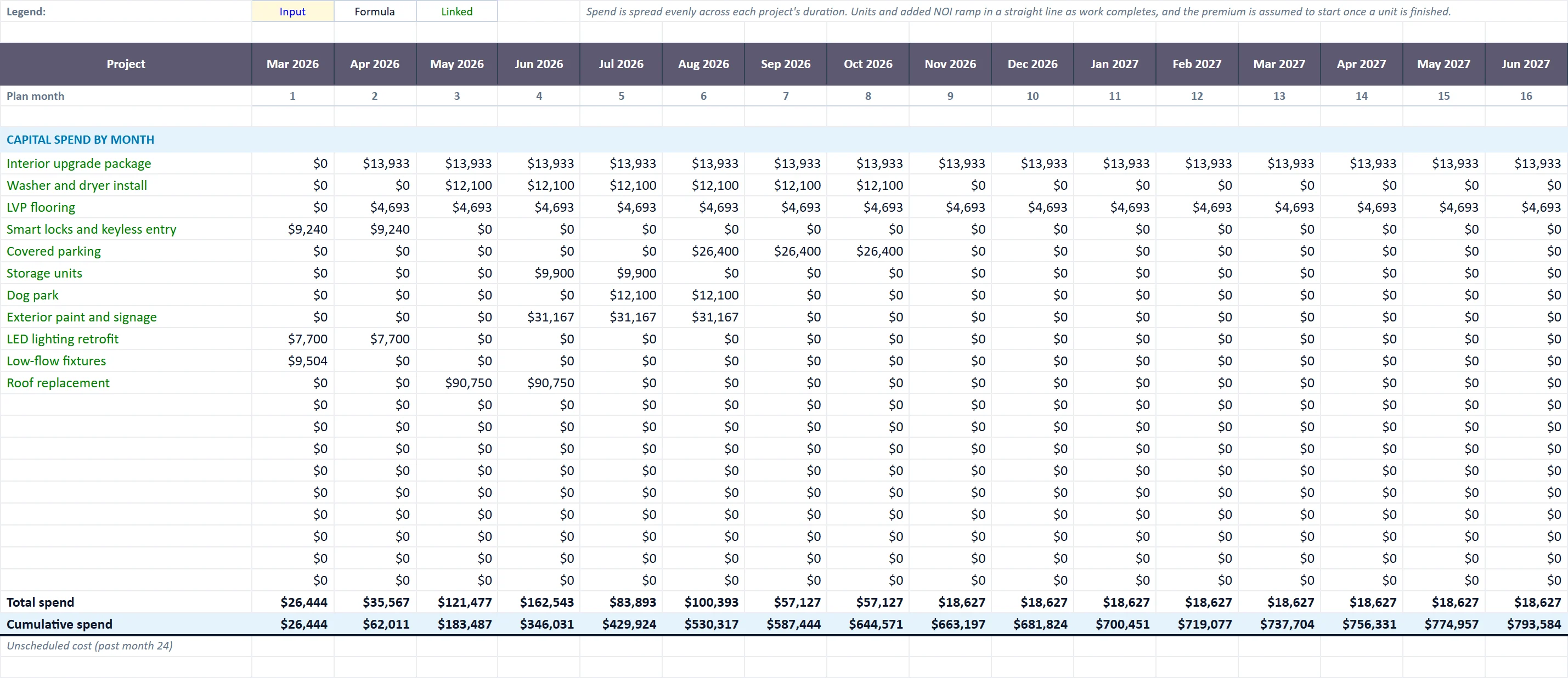
A 24-month spend schedule with units completed and how fast the added NOI ramps in as work finishes.

capex-value-add-plan.xlsx
The Schedule tab of the capex-value-add-plan workbook, filled in with the sample property
SummaryProjectsScheduleAssumptionsBid ComparisonRenovation TrackerOwner Summary

Assumptions

Cap rate, contingency, vacancy on new income, premium realization and management fee.

Bid Comparison

Up to three contractor bids per project: low bid, spread, selected bid and variance to budget.

Renovation Tracker

A unit-by-unit log of cost, days down and rent achieved against the planned budget and premium.

Owner Summary

A one-page report under your company name for owners, investors or lenders.

Built for

Who it is for

  • Owners deciding which upgrades to fund
  • Investors building a value-add business plan
  • Asset managers reporting progress to partners
Want a quick number first? Try the Building value estimator.

How to use it

Up and running in five steps

  1. 1Enter the property, total units, market cap rate and plan start month on Start Here.
  2. 2Set contingency, vacancy on new income, premium realization and management fee on Assumptions.
  3. 3List each upgrade on Projects with its cost, rent premium, other income, savings and timing.
  4. 4Compare projects on Summary and check the sensitivity grid before committing capital.
  5. 5Log contractor bids, then record each finished unit on Renovation Tracker to prove the premium.

Rather have us run the numbers?

Send us your rent roll and T12 and we will build this for your property and show you what it says.

Questions

Capex and Value-Add Plan questions

How do you calculate return on cost for a renovation?
Divide the added annual NOI from the project by its total cost. If return on cost is above your market cap rate, the project creates more value than it costs.
How is value created calculated?
Added annual NOI divided by the market cap rate. The template subtracts the project's cost to show net value created and value per dollar invested.
Should I include a contingency?
Yes. Renovations rarely come in exactly on budget. The template applies a contingency you set to every project so returns are not overstated.

Insights

The guide behind it

All articles