
Skip to content
Next Level Property Management
> nlpm://searchLoading index…
  • Quick actions

    Talk to us/contact
  • Reno market data/market-data
  • Find an apartment/rentals
  • Resident portal/go/resident-portal
  • Client portal/go/client-portal
  • Call (775) 502-8287

Free template

Lease expiration manager

See when leases expire over the next 24 months against a seasonal target, and get renewal terms that move expirations out of slow winter months, with suggested renewal rents.

  • Excel, Sheets, Numbers
  • Sample property included
  • 8 tabs

Get the template

Inside the workbook

What you get, tab by tab

Tab 1

Dashboard

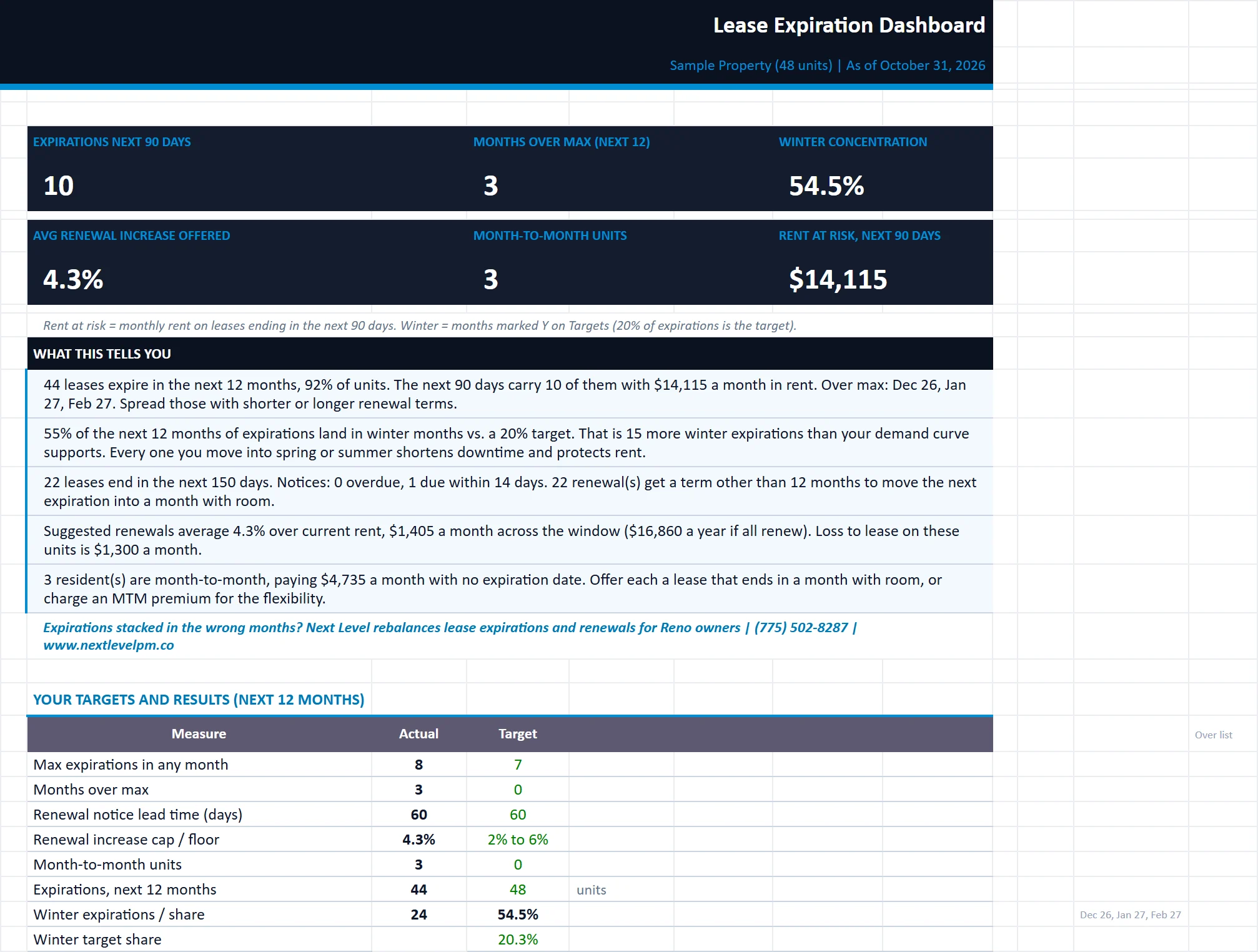
KPIs, expirations vs. the target curve, winter concentration, renewal pipeline and plain-English insights.
lease-expiration-manager.xlsx
The Dashboard tab of the lease-expiration-manager workbook, filled in with the sample property
DashboardRenewal PlannerTerm PricingOwner SummaryExpiration ScheduleLease RollTargets

Tab 2

Renewal Planner

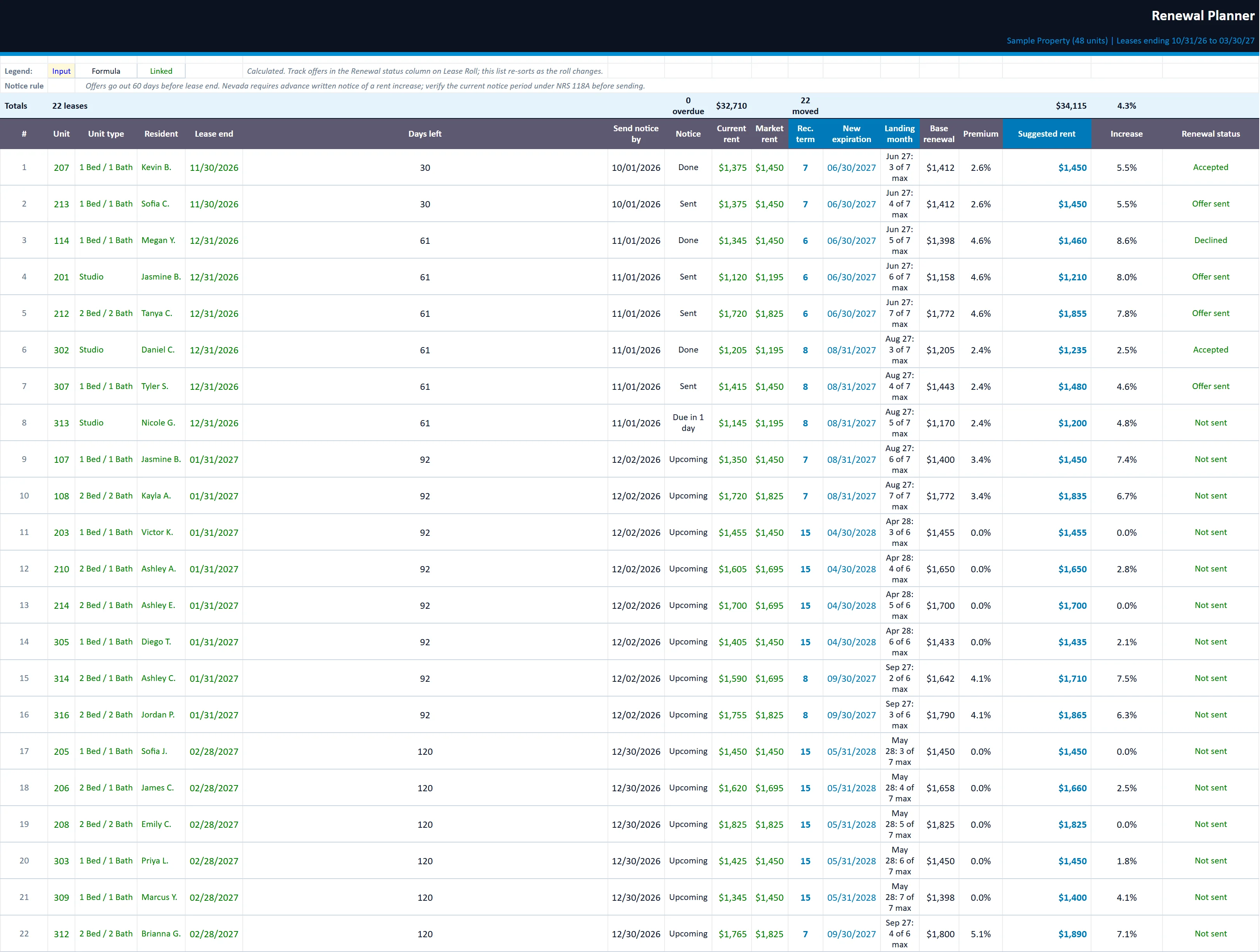
Every lease expiring in the next 150 days in date order: notice date, recommended term, new expiration and suggested renewal rent.
lease-expiration-manager.xlsx
The Renewal Planner tab of the lease-expiration-manager workbook, filled in with the sample property
DashboardRenewal PlannerTerm PricingOwner SummaryExpiration ScheduleLease RollTargets

Tab 3

Term Pricing

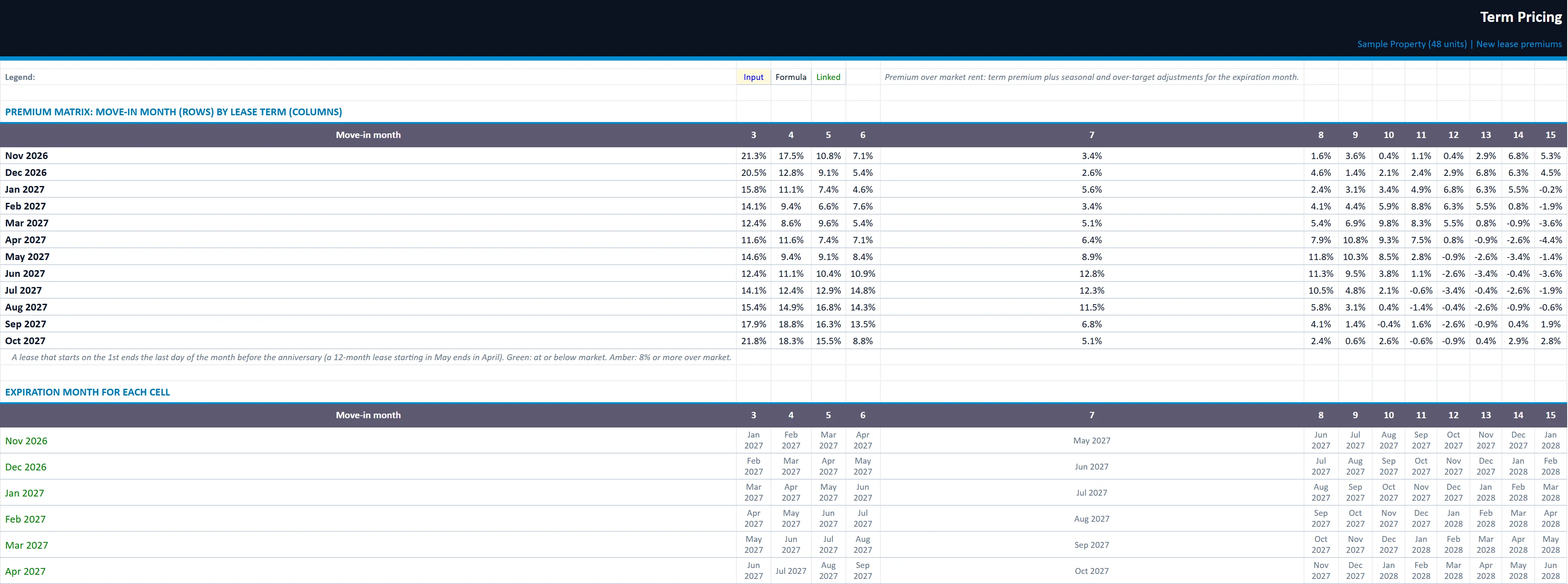
Premium by move-in month and lease term, plus a quote calculator for new leases.
lease-expiration-manager.xlsx
The Term Pricing tab of the lease-expiration-manager workbook, filled in with the sample property
DashboardRenewal PlannerTerm PricingOwner SummaryExpiration ScheduleLease RollTargets

Owner Summary

A one-page expiration and renewal report with your logo and company name, ready to send to owners.

Expiration Schedule

The next 24 months: expirations, share of units, target, maximum, over or under, and rent expiring each month.

Lease Roll

Your units, residents, lease dates, rents, status and renewal status. Market rent and loss to lease are calculated.

Targets

Market rents, renewal rules, seasonal demand weights, the target expiration curve and lease term premiums.

Built for

Who it is for

  • Managers planning renewals ahead
  • Owners worried about winter vacancy
  • Leasing teams pricing lease terms

How to use it

Up and running in six steps

  1. 1Enter the property name, total units and as-of date on the Start Here tab.
  2. 2On Targets, set market rent by unit type, your renewal rules (notice days, cap, floor, share of loss to lease to capture), the seasonal demand weights and the lease terms you offer with their premiums.
  3. 3On Lease Roll, enter one row per unit with type, resident, lease dates, current rent and status. The sample rows are inputs; select them and press Delete to start fresh.
  4. 4Check Expiration Schedule for months over the maximum, then work the Renewal Planner in date order. Track each offer in the Renewal status column on Lease Roll.
  5. 5When a renewal is signed, update the lease dates and rent on Lease Roll. The schedule and the recommendations for every other lease update with it.
  6. 6Use Term Pricing to quote new leases, and send the Owner Summary to ownership with your logo and company name.

Rather have us run the numbers?

Send us your rent roll and T12 and we will build this for your property and show you what it says.

Questions

Lease Expiration Manager questions

Why spread lease expirations?
Too many leases ending in slow months leaves units vacant longer. Spreading expirations to match demand keeps occupancy steadier.
How does it recommend renewal terms?
For each lease expiring in the next 150 days it suggests a term that lands the new expiration in a month under its target.
Does it suggest renewal rents?
Yes, from market rent, your renewal cap and floor, and how much loss to lease you want to capture.

Insights

The guide behind it

All articles