
Free template
Preventive maintenance calendar
A 12-month preventive maintenance plan with about 60 tasks built for a cold-winter, high-desert climate like Reno's, a completion log, compliance tracking and a 10-year forecast of replacement costs and reserves.
- Excel, Sheets, Numbers
- Sample property included
- 7 tabs
Get the template
Inside the workbook
What you get, tab by tab
Tab 1
Dashboard
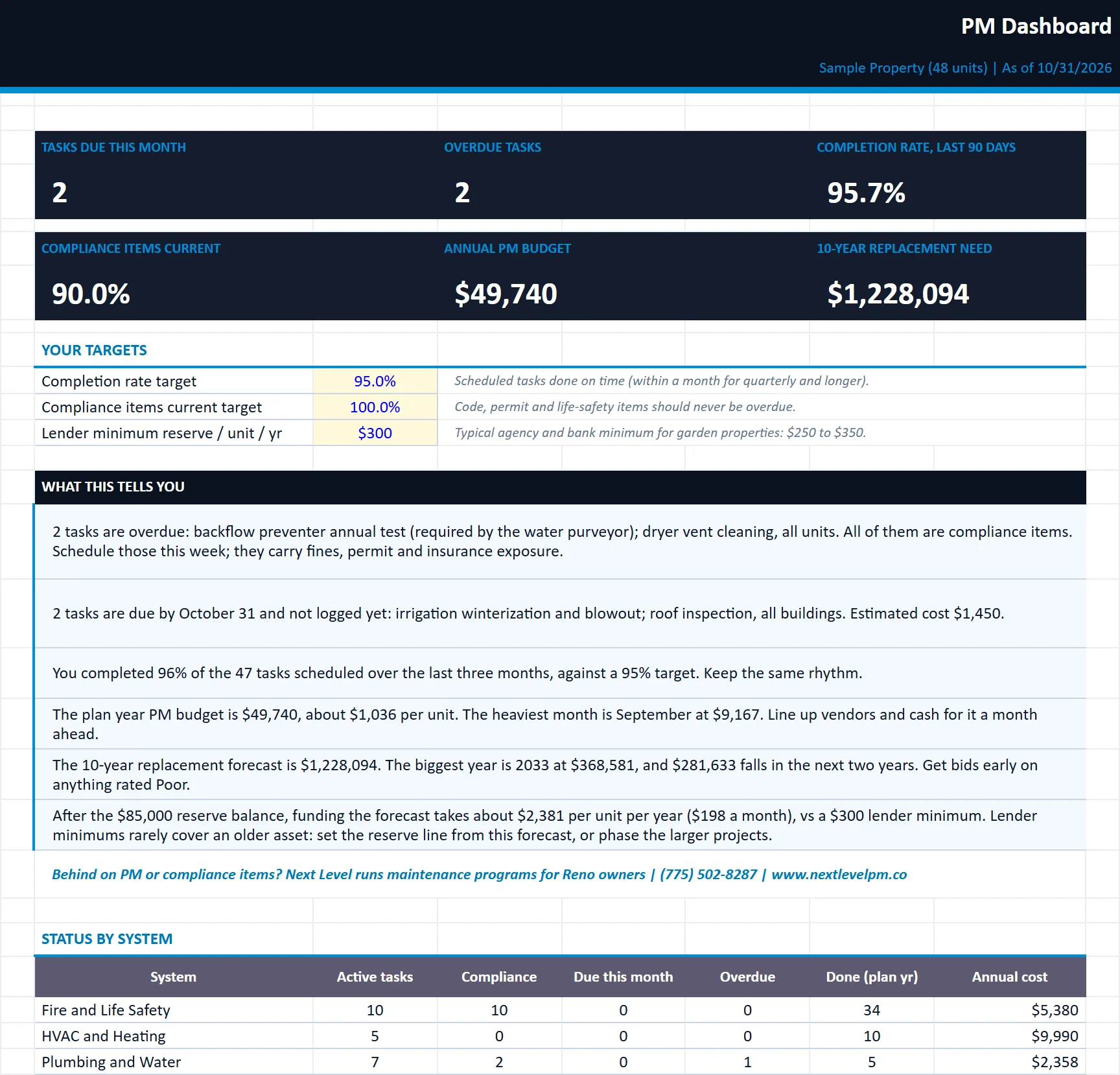
KPIs, status by system, the action list, monthly PM cost, the capital forecast and plain-English insights.
Tab 2
12-Month Calendar
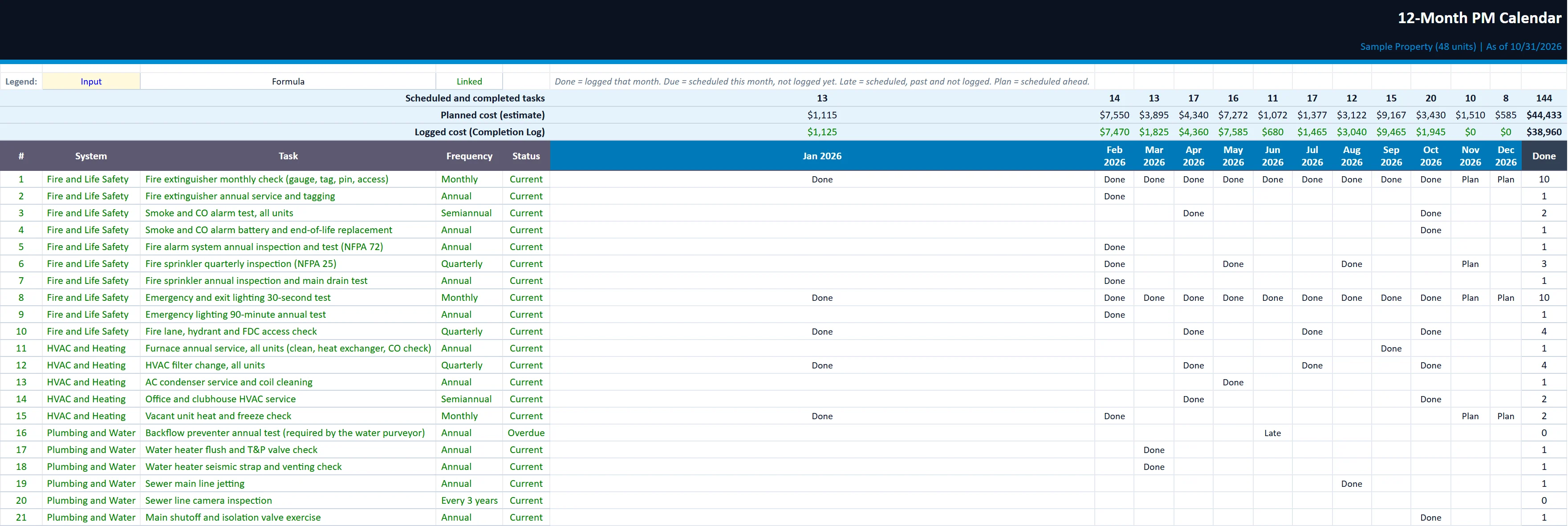
Tasks by month for the plan year, marked Done, Due, Late or Plan, with monthly counts and cost.
Tab 3
Asset Register
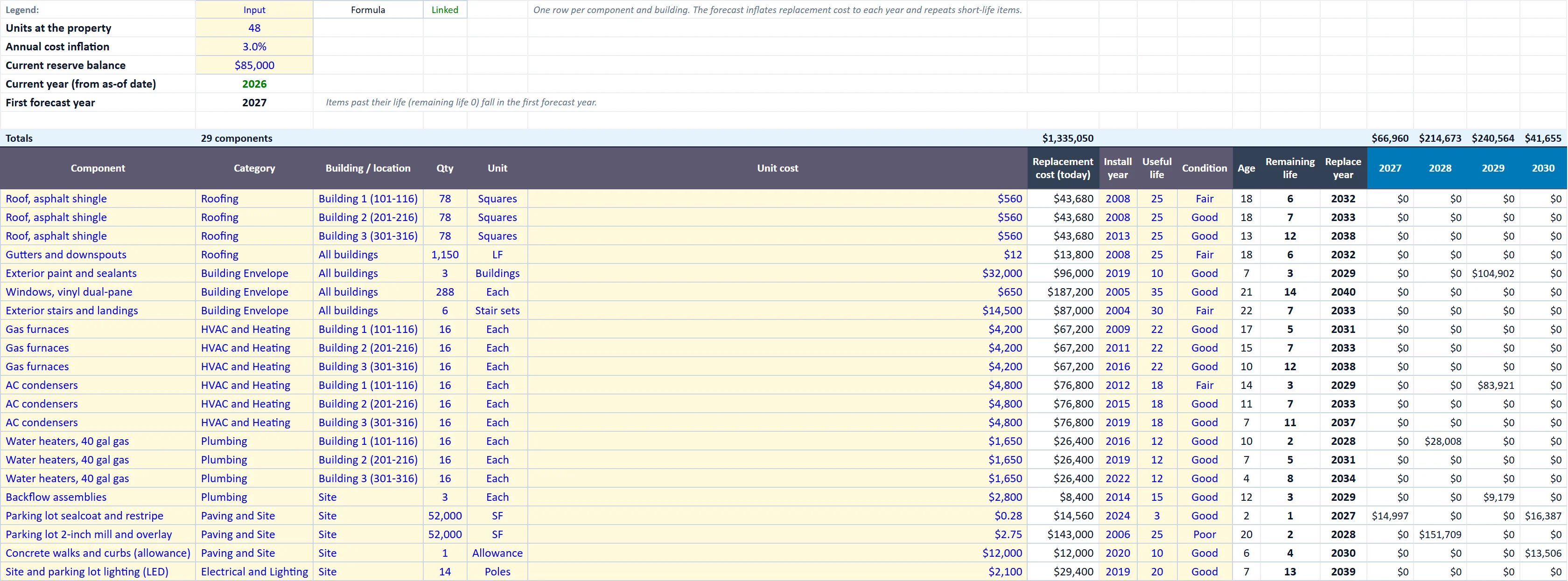
Major components by building, remaining life, replacement year and a 10-year inflated replacement forecast with reserve per unit.
Owner Summary
A one-page PM and capital report with your logo and company name, ready to send to owners.
Task Library
Every PM task with system, frequency, months, responsibility, vendor, cost, compliance flag, last completed, next due and status.
Completion Log
One row per completed task. Feeds last completed dates, calendar done marks and actual cost.
Built for
Who it is for
- Maintenance teams planning the year
- Owners setting replacement reserves
- Managers tracking required inspections
How to use it
Up and running in six steps
- 1Enter the property name, the as-of date and the plan start month on the Start Here tab.
- 2On Task Library, review the sample tasks. Set Active to N for anything you do not have (elevators, pool), adjust months, vendors and costs, and add your own rows at the bottom.
- 3For tasks done before you start logging, enter the date in Last completed (input) so the next due date is right from day one.
- 4Log every completed task on the Completion Log: date, task (pick from the list), who did it, cost and work order number. The sample log is input; clear it and start your own.
- 5On Asset Register, list major components by building with quantity, unit cost, install year, useful life and condition. Set inflation, units and your current reserve balance.
- 6Review the Dashboard monthly and send the Owner Summary with your monthly report. Enter your company name on the Start Here tab and drop your logo onto the Owner Summary (right-click the placeholder, Change Picture).
Rather have us run the numbers?
Send us your rent roll and T12 and we will build this for your property and show you what it says.
Questions
Preventive Maintenance Calendar questions
Why a calendar built for Reno?
Does it track compliance items?
How does the reserve forecast work?
More free templates