
Skip to content
Next Level Property Management
> nlpm://searchLoading index…
  • Quick actions

    Talk to us/contact
  • Reno market data/market-data
  • Find an apartment/rentals
  • Resident portal/go/resident-portal
  • Client portal/go/client-portal
  • Call (775) 502-8287

Free template

Monthly owner report template

The monthly package a manager sends an owner: budget versus actual for the month and year to date with explanations, occupancy and leasing stats, cash and a suggested distribution, on two printable pages.

  • Excel, Sheets, Numbers
  • Sample property included
  • 8 tabs

Get the template

Inside the workbook

What you get, tab by tab

Tab 1

Dashboard

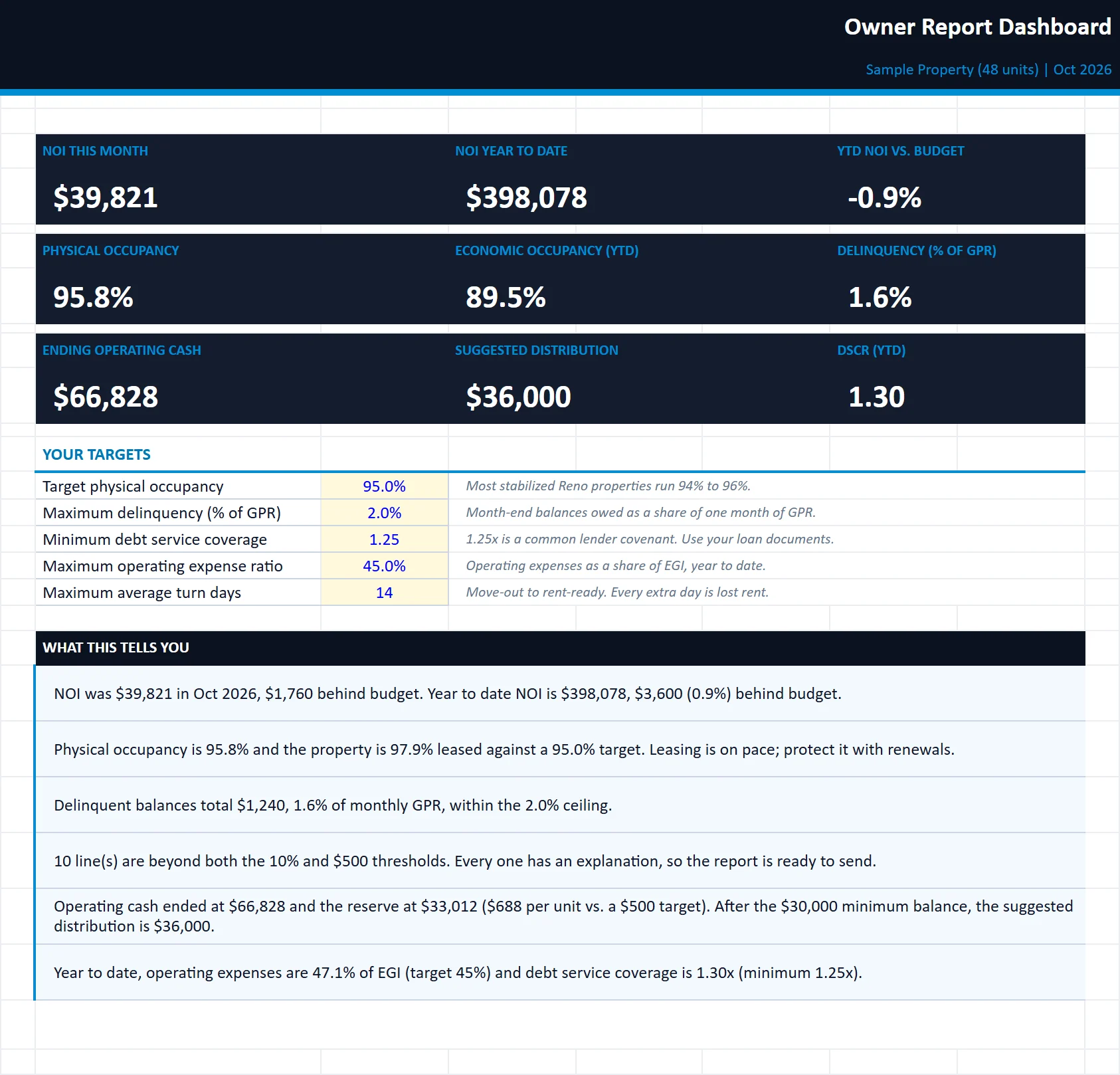
Internal view: KPIs for the month and year to date, your targets, 12-month NOI and occupancy trends, and plain-English insights.
monthly-owner-report-template.xlsx
The Dashboard tab of the monthly-owner-report-template workbook, filled in with the sample property
DashboardOwner ReportVarianceActualsOperationsCashBudget

Tab 2

Owner Report

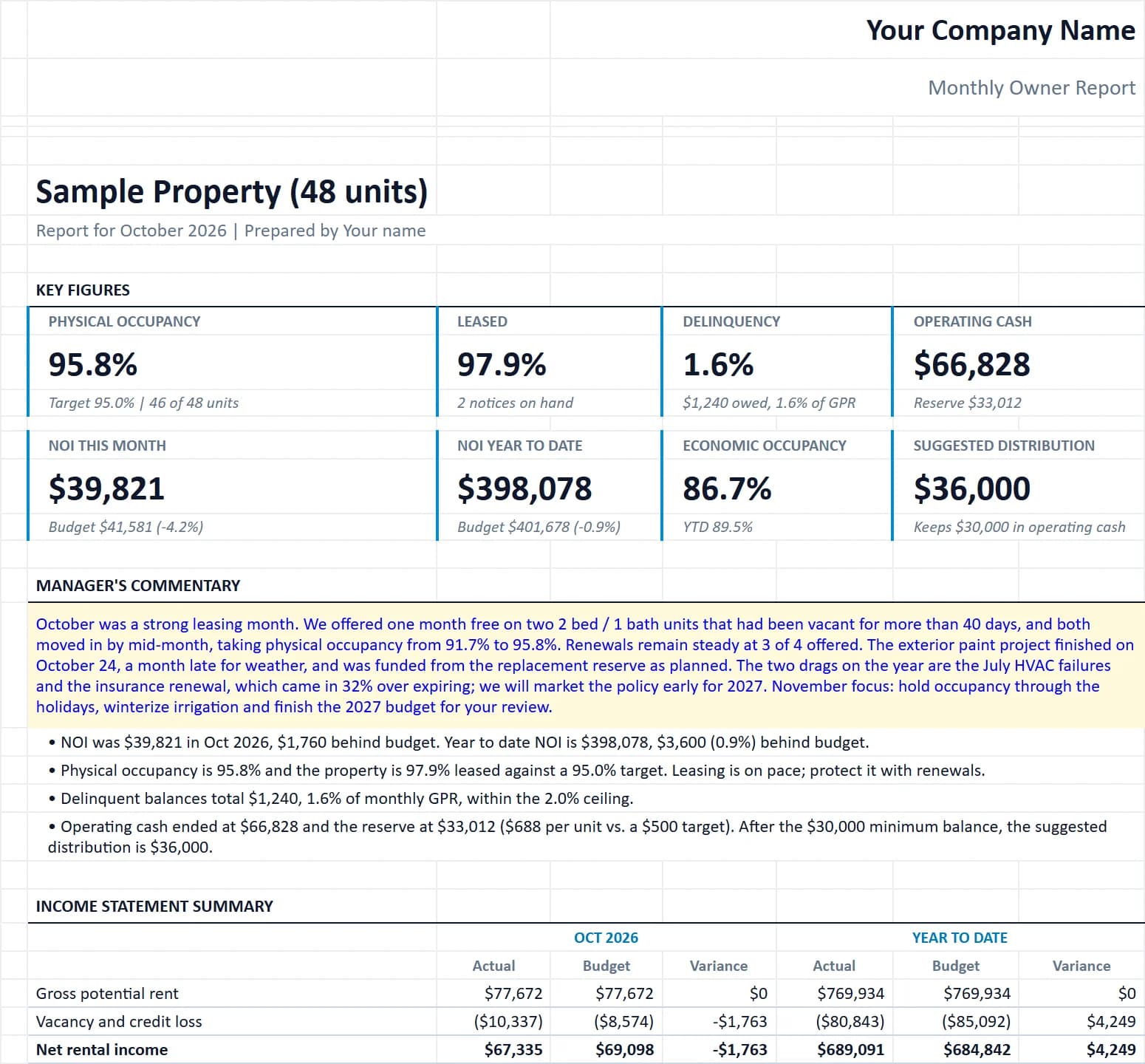
The two-page white-label report for the owner: KPIs, commentary, income statement, top variances, operations, cash and capex.
monthly-owner-report-template.xlsx
The Owner Report tab of the monthly-owner-report-template workbook, filled in with the sample property
DashboardOwner ReportVarianceActualsOperationsCashBudget

Tab 3

Variance

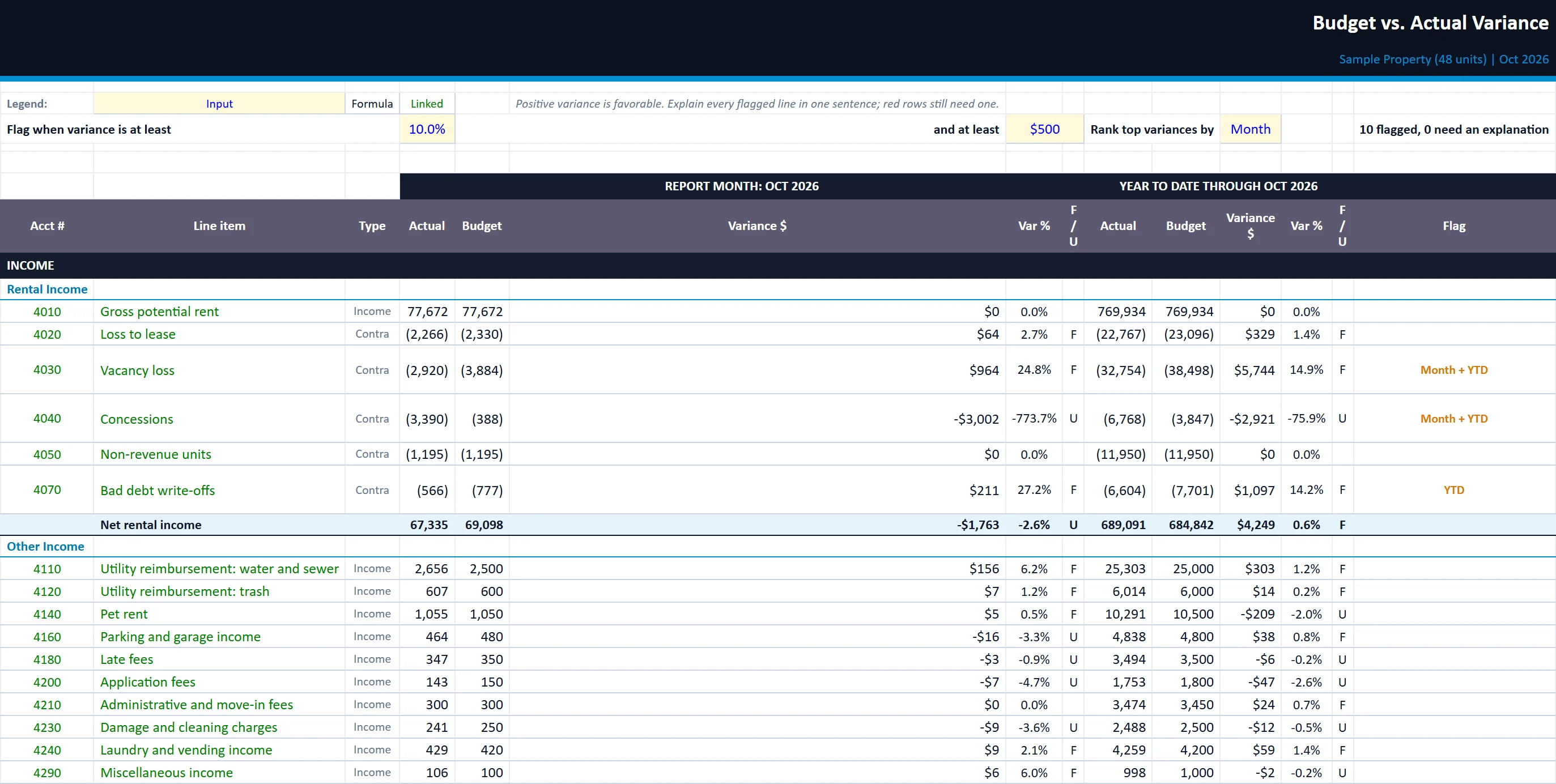
Month and YTD actual vs. budget for every line, favorable or unfavorable, threshold flags and the explanation column.
monthly-owner-report-template.xlsx
The Variance tab of the monthly-owner-report-template workbook, filled in with the sample property
DashboardOwner ReportVarianceActualsOperationsCashBudget

Actuals

12 months of actuals by line from your P&L. Months after the report month can stay blank.

Operations

Monthly occupancy, leasing, renewal, work order, turn and delinquency stats, with calculated rates.

Cash

Operating cash roll-forward, replacement reserve balance, minimum cash setting and the suggested distribution.

Budget

The 12-month budget by line, grouped like the NLPM Chart of Accounts. Enter once a year.

Built for

Who it is for

  • Self-managing owners reporting to partners
  • Managers who want a cleaner owner report
  • Owners comparing what their manager sends

How to use it

Up and running in six steps

  1. 1Enter the property name, the first day of your fiscal year and pick the report month on the Start Here tab. The sample data is a 48-unit Reno property reporting October 2026; overwrite every yellow cell with your own.
  2. 2Budget: enter the 12-month budget by line once a year. Income is positive, contra-income lines (loss to lease, vacancy, concessions, non-revenue units, bad debt) are negative, expenses are positive.
  3. 3Each month, enter that month's column on Actuals from your accrual P&L, the stats on Operations, and distributions, reserve draws and contributions on Cash. Leave later months blank.
  4. 4Variance: set your flag thresholds, then write a one-sentence explanation for every flagged line. Red rows still need one.
  5. 5Owner Report: write the manager's commentary, review the auto-generated bullets, then print or save as PDF (two portrait pages). Enter your company name on the Start Here tab and drop your logo on the placeholder (right-click, Change Picture).
  6. 6To clear the sample, select the yellow cells on Budget, Actuals, Operations and Cash and press Delete. The structure and formulas stay in place.

Rather have us run the numbers?

Send us your rent roll and T12 and we will build this for your property and show you what it says.

Questions

Monthly Owner Report questions

What should a monthly owner report include?
An income statement against budget for the month and year to date, explanations for the big variances, occupancy and leasing activity, delinquency, cash and reserves, and the distribution.
How are variances flagged?
You set dollar and percent thresholds. Any line beyond them is flagged until you write a one-sentence explanation.
Can I put my own logo on it?
Yes. Add your company name on Start Here and drop your logo onto the placeholder on the Owner Report tab.

Insights

The guide behind it

All articles