Skip to content
Next Level Property Management
> nlpm://searchLoading index…
  • Quick actions

    Talk to us/contact
  • Reno market data/market-data
  • Find an apartment/rentals
  • Resident portal/go/resident-portal
  • Client portal/go/client-portal
  • Call (775) 502-8287

Free template

Multifamily chart of accounts

A complete, numbered chart of accounts built for apartment properties, with every account flagged above or below the NOI line, mapping to your accounting software and an owner operating statement.

  • Excel, Sheets, Numbers
  • Sample property included
  • 7 tabs

Get the template

Inside the workbook

What you get, tab by tab

Tab 1

Chart of Accounts

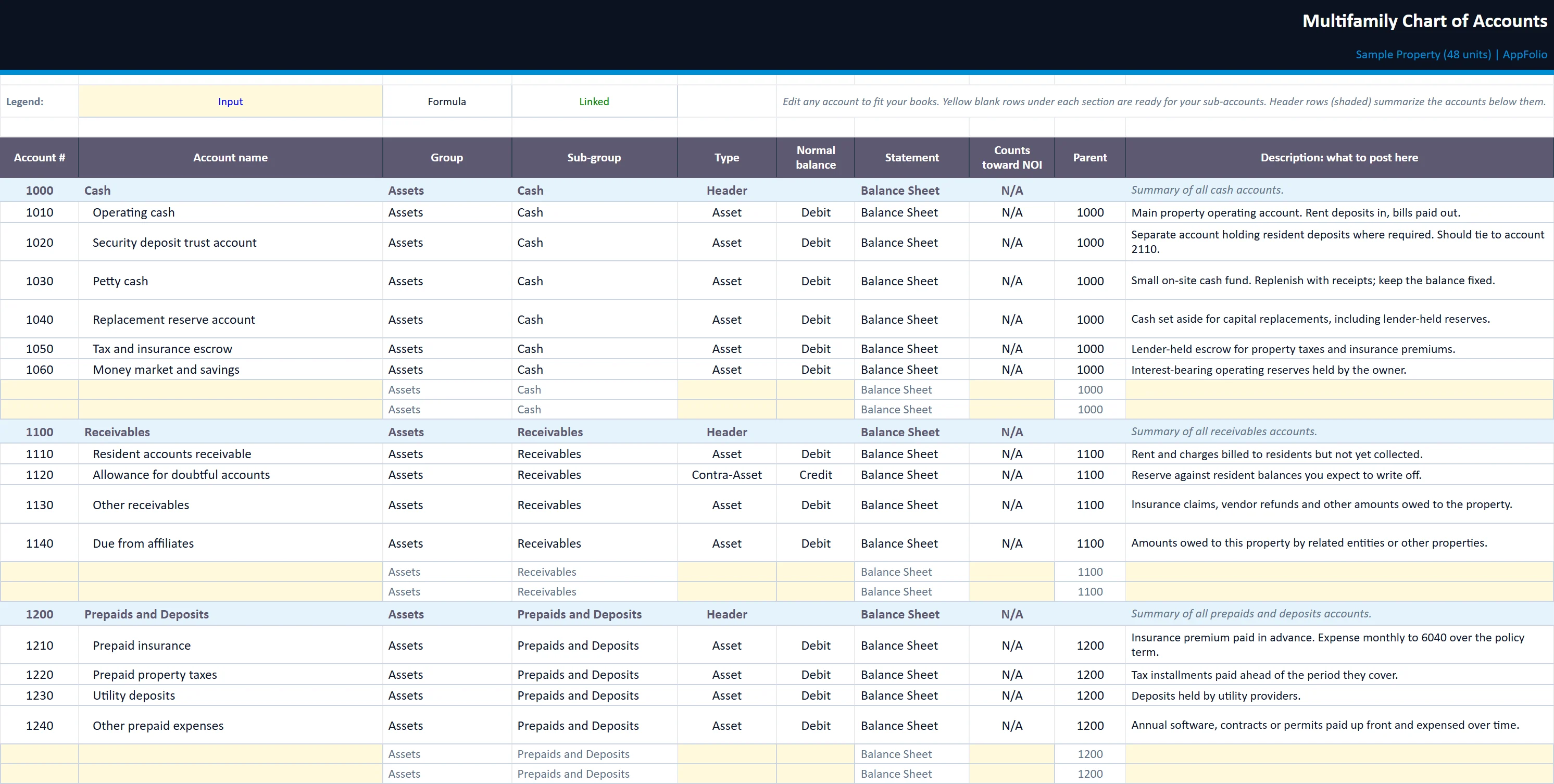
The full account list with group, type, normal balance, statement, NOI flag, parent account and posting guidance.
multifamily-chart-of-accounts.xlsx
The Chart of Accounts tab of the multifamily-chart-of-accounts workbook, filled in with the sample property
Chart of AccountsOwner SummarySystem MappingStatement InputsGroup SummaryNumbering Rules

Tab 2

Owner Summary

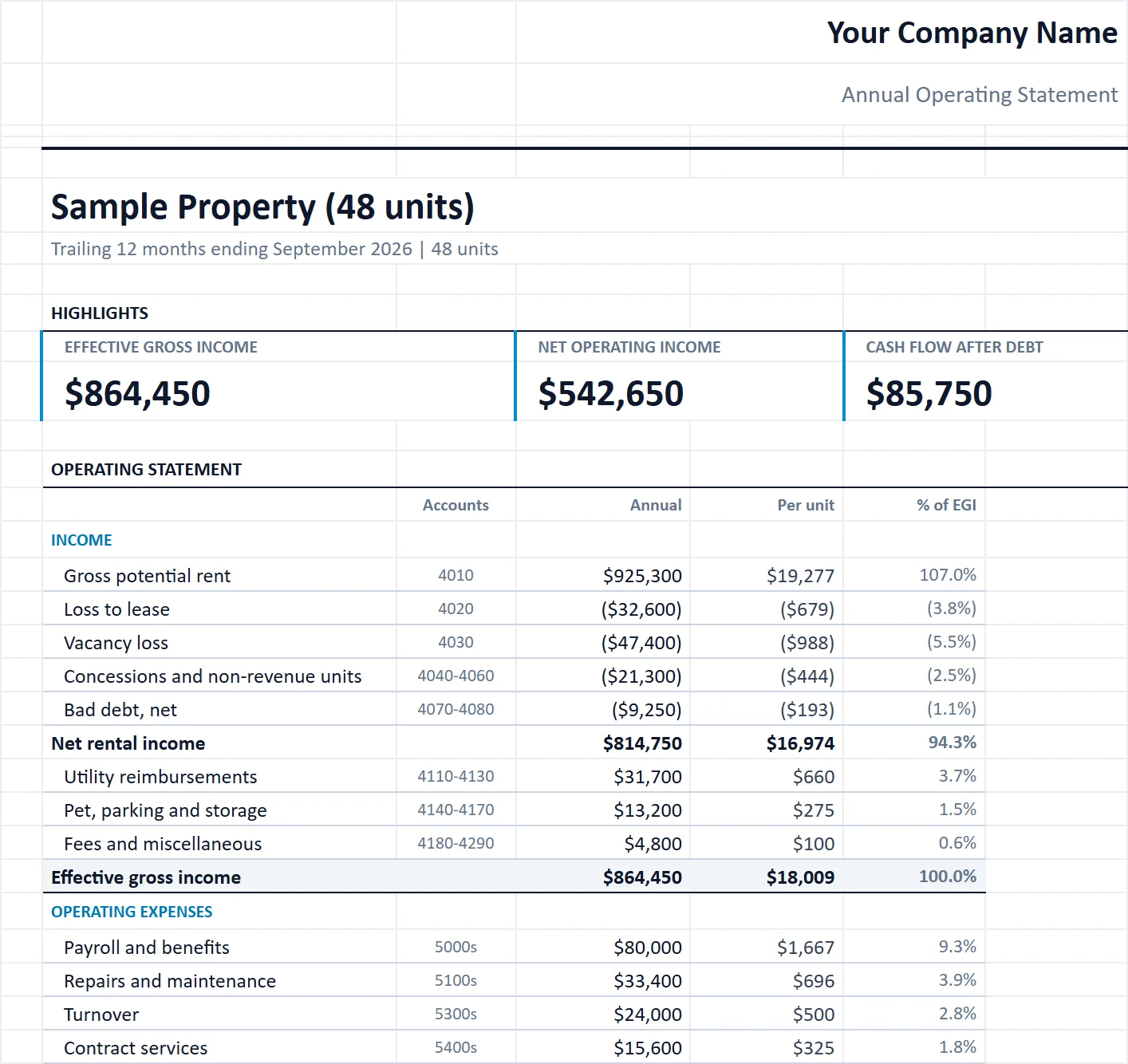
A one-page operating statement in this chart's structure, under your logo and company name.
multifamily-chart-of-accounts.xlsx
The Owner Summary tab of the multifamily-chart-of-accounts workbook, filled in with the sample property
Chart of AccountsOwner SummarySystem MappingStatement InputsGroup SummaryNumbering Rules

Tab 3

System Mapping

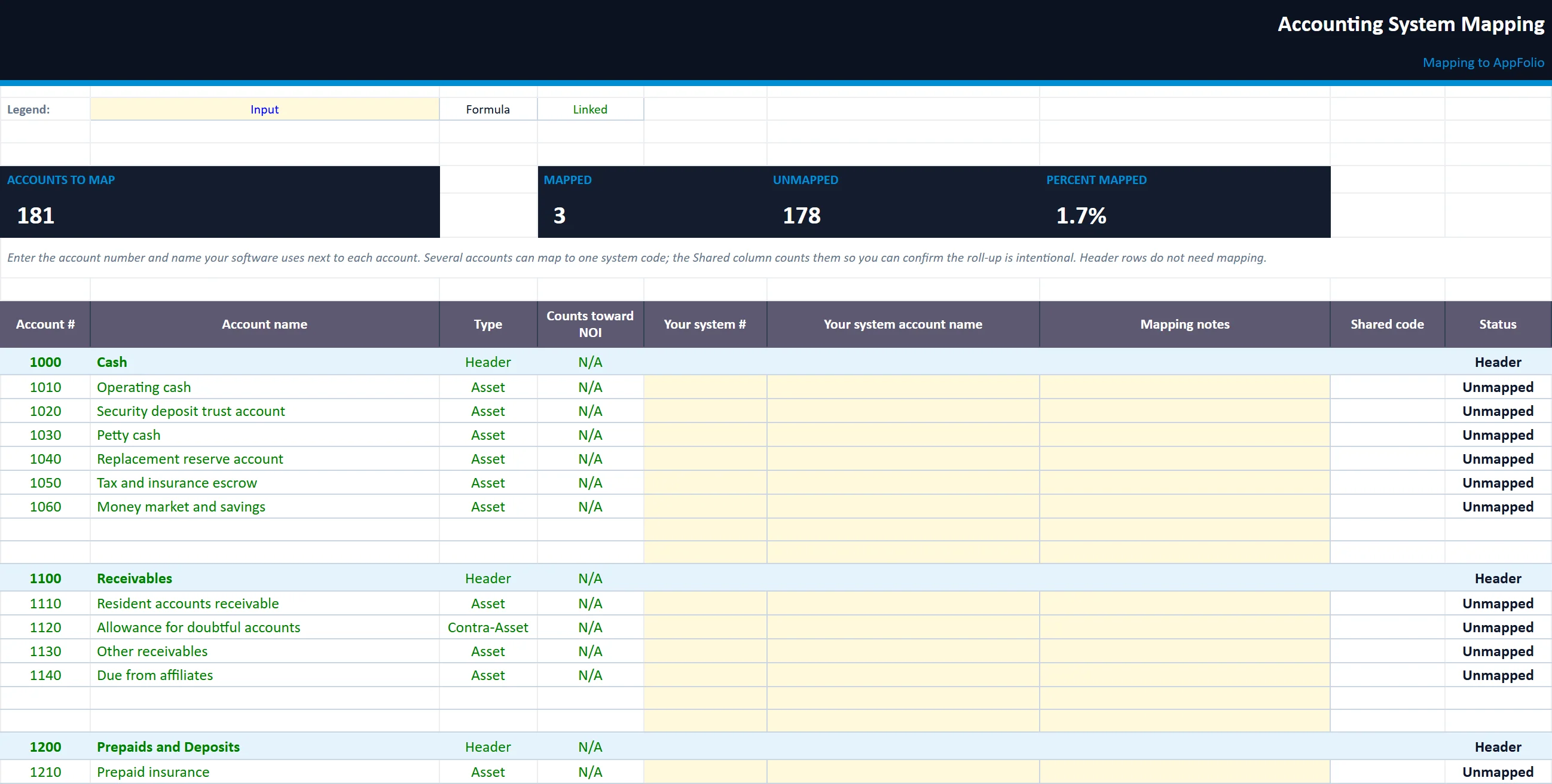
A crosswalk from each account to your accounting system's code, with mapped and unmapped counts.
multifamily-chart-of-accounts.xlsx
The System Mapping tab of the multifamily-chart-of-accounts workbook, filled in with the sample property
Chart of AccountsOwner SummarySystem MappingStatement InputsGroup SummaryNumbering Rules

Statement Inputs

Annual totals by account group that feed the Owner Summary.

Group Summary

Account counts by group, what sits above and below the NOI line, and a value-impact calculator.

Numbering Rules

How the numbering works and the rules for adding sub-accounts without breaking reports.

Built for

Who it is for

  • Owners setting up or cleaning up their books
  • Managers moving to new accounting software
  • Bookkeepers new to multifamily

How to use it

Up and running in five steps

  1. 1Enter your company or property, accounting system and accounting basis on Start Here.
  2. 2Rename, delete or add accounts on Chart of Accounts; the Flag column catches duplicates and broken parents.
  3. 3Map each account to your software's code on System Mapping.
  4. 4Confirm what sits above and below NOI on Group Summary.
  5. 5Enter annual totals on Statement Inputs and print the Owner Summary.

Rather have us run the numbers?

Send us your rent roll and T12 and we will build this for your property and show you what it says.

Questions

Multifamily Chart of Accounts questions

Why does the chart of accounts matter for value?
Buyers and lenders value a property on NOI. An expense posted below the line, or a capital item posted as repairs, changes NOI and so changes value. The Group Summary tab shows the size of that effect.
Will it work with my accounting software?
Yes. It is a structure, not software. The System Mapping tab lines each account up with the code in AppFolio, Yardi, QuickBooks or whatever you use.
Can I add my own accounts?
Yes. Blank rows are set aside in each group, and the Numbering Rules tab explains how to add sub-accounts so reports keep rolling up correctly.

Insights

The guide behind it

All articles