
Skip to content
Next Level Property Management
> nlpm://searchLoading index…
  • Quick actions

    Talk to us/contact
  • Reno market data/market-data
  • Find an apartment/rentals
  • Resident portal/go/resident-portal
  • Client portal/go/client-portal
  • Call (775) 502-8287

Free template

Delinquency and collections tracker

Track every past-due balance at month end: aging by charge type, Nevada notice deadlines counted in judicial days, payment plans, collections and the next action for each account.

  • Excel, Sheets, Numbers
  • Sample property included
  • 8 tabs

Get the template

Inside the workbook

What you get, tab by tab

Tab 1

Dashboard

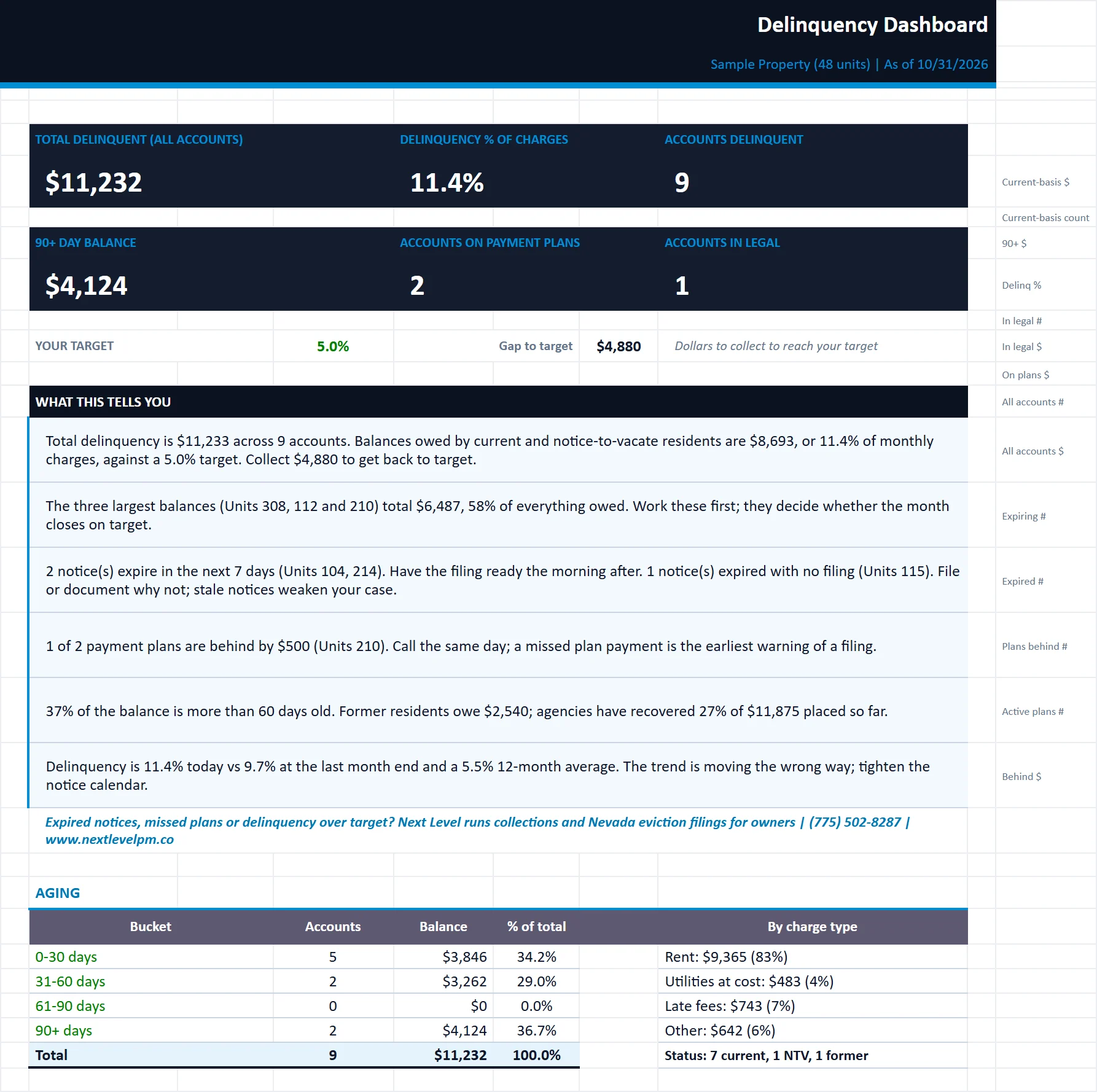
KPI tiles, aging chart, plain-English insights and a next-action list for the largest balances.
delinquency-collections-tracker.xlsx
The Dashboard tab of the delinquency-collections-tracker workbook, filled in with the sample property
DashboardDelinquency LogPayment PlansOwner SummaryCollectionsTrendSettings

Tab 2

Delinquency Log

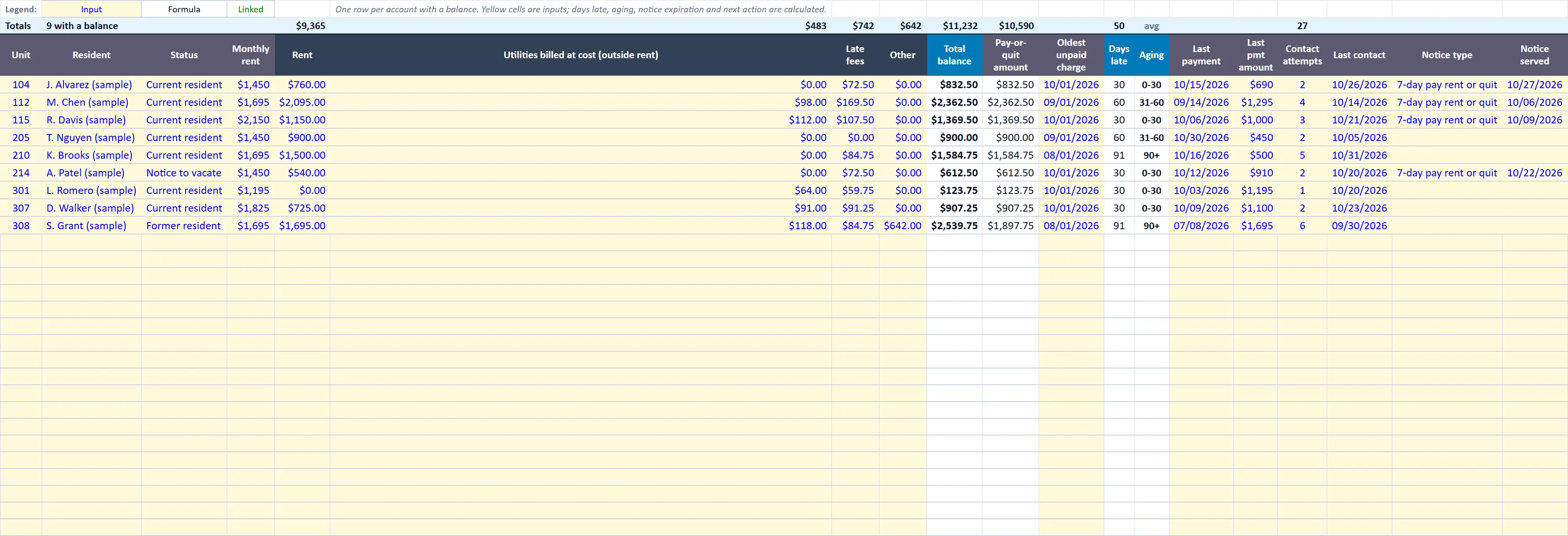
One row per account: balances by charge type, aging, contacts, notices, legal status and the next action.
delinquency-collections-tracker.xlsx
The Delinquency Log tab of the delinquency-collections-tracker workbook, filled in with the sample property
DashboardDelinquency LogPayment PlansOwner SummaryCollectionsTrendSettings

Tab 3

Payment Plans

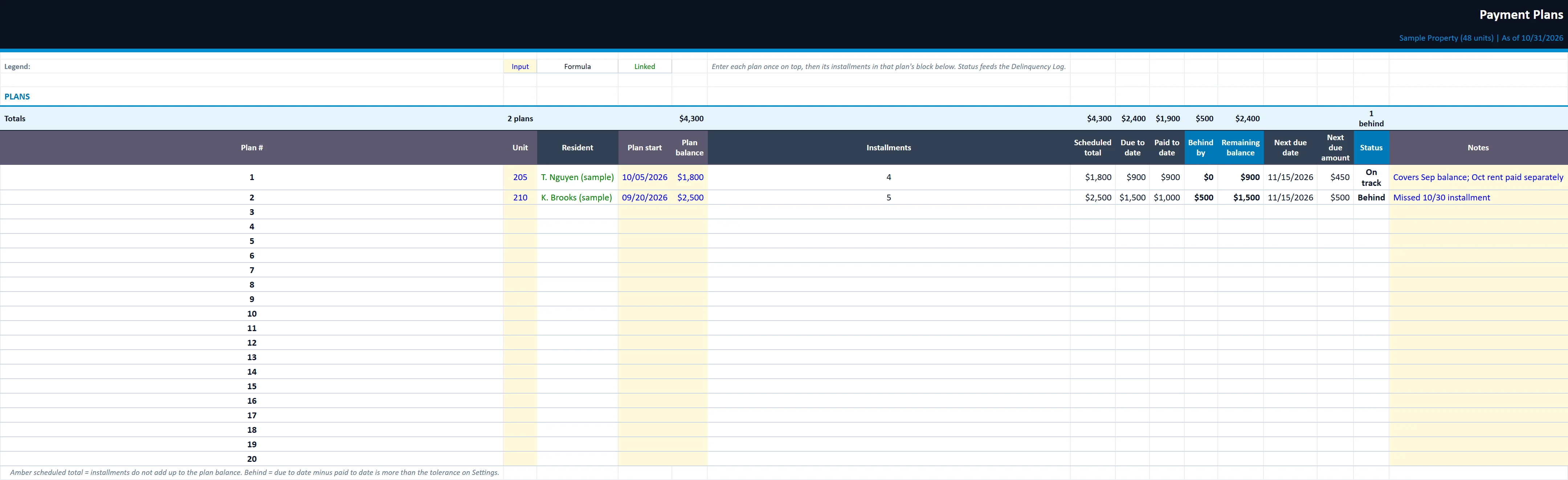
Up to 20 plans with 10 installments each. Flags plans that are behind and feeds the log.
delinquency-collections-tracker.xlsx
The Payment Plans tab of the delinquency-collections-tracker workbook, filled in with the sample property
DashboardDelinquency LogPayment PlansOwner SummaryCollectionsTrendSettings

Owner Summary

White-label one-page delinquency report by unit, with no resident names. Ready to send to owners.

Collections

Former-resident balances placed with collection agencies, fees and recovery rate.

Trend

12 months of month-end delinquency plus the current snapshot, charted against your target.

Settings

Report date, late fee policy, aging buckets, alert thresholds, Nevada notice periods and court holidays.

Built for

Who it is for

  • Managers running month-end collections
  • Owners reporting delinquency to partners
  • Small portfolios without a collections team

How to use it

Up and running in six steps

  1. 1Enter the report date on the Start Here tab. Every day count, aging bucket and deadline is measured from it.
  2. 2On Settings, confirm your late fee policy, aging buckets, alert thresholds, total monthly charges and the court holiday list. Add local court closures to the blank holiday rows.
  3. 3On Delinquency Log, enter one row per account with a balance: unit, resident, status, rent, balance by charge type and the oldest unpaid charge date. The sample rows are inputs; overwrite or clear them.
  4. 4When you serve a notice, pick the notice type and the date served. The expiration and next action update automatically. Update legal status as the case moves.
  5. 5Enter payment plans and their installments on Payment Plans, and agency placements on Collections. Add last month-end figures to Trend.
  6. 6Review the Dashboard, then send the Owner Summary. Enter your company name on the Start Here tab and drop your logo onto the placeholder (right-click, Change Picture).

Rather have us run the numbers?

Send us your rent roll and T12 and we will build this for your property and show you what it says.

Questions

Delinquency and Collections Tracker questions

How are Nevada notice deadlines counted?
In judicial days, skipping weekends and court holidays. The holiday list is on the Settings tab, with room to add local court closures.
Does it check late fees?
Yes. Late fees are checked against Nevada's 5% cap.
Can I share it with owners?
Yes. The Owner Summary reports delinquency by unit with no resident names.

Insights

The guide behind it

All articles